How to Copy and Type Diaeresis U (ü and Ü)
Copy diaeresis u (ü and Ü), find Unicode and HTML codes, learn documented typing methods, and understand Spanish diaeresis versus German umlaut.
Diaeresis u: ü
Uppercase: Ü
Latin U
Two-dot diacritic
Meaning varies by language
You’ll see this in Spanish, for instance, where it indicates that a vowel is pronounced rather than being stressed or marking the end of a syllable. You’ll see it also in German, where the umlauted letter represents a distinct long and short sound.
In terms of characters, both the lowercase and uppercase forms are precomposed Unicode characters — one code point each — with their own HTML entities, though neither is part of ASCII. They can be entered into Windows using Alt codes (with the numeric keypad) and via Word for Windows using its documented keyboard shortcuts, and they can also be found on macOS and iOS as well as Android smartphones. Finally, you can simply copy the correct character if your mobile device doesn’t provide the accented variant.
Unicode defines the following Unicode characters and corresponding hexadecimal escape sequences:
ü: U+00FC; ü; ü; ü; and also the combination of u followed by the combining diaeresis (U+0308)
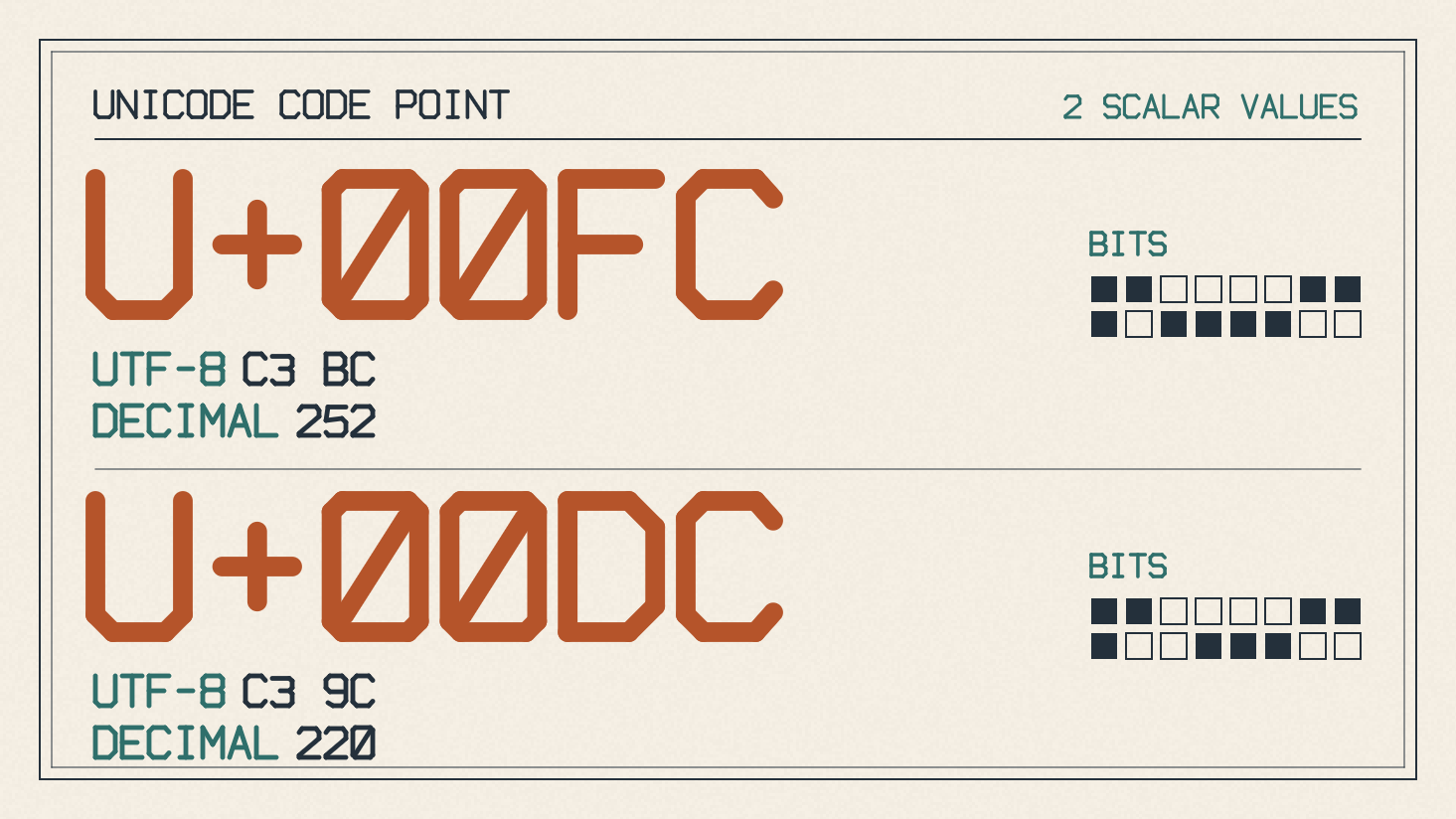
Ü: U+00DC; Ü; Ü; Ü; and also the combination of U followed by the combining diaeresis
The precomposed ü and Ü are both available in ISO/IEC 8859-1 and UTF-8; their UTF-8 encodings are C3 BC and C3 9C, respectively. The combining sequences can also be encoded in UTF-8, but not in ISO/IEC 8859-1. The Unicode standard itself defines them, though. In any case, these characters will be displayed on most modern displays without needing a font substitution, which means you’re likely to have them already installed.
Word for Windows
If you’ve got Microsoft Word installed on your Windows machine, then you can type these special characters by pressing Ctrl+Shift+:, releasing the keys, and typing either “u” to create ü, or Shift+U to create Ü.
The problem here is knowing that colon key has the proper function. On the United States’ QWERTY layout, it’s just a colon; however, some other languages may use it to enter symbols. In addition, Word provides the ability to directly convert from an entry using the Alt shortcut.
To do that, hold down the Alt key, and press the appropriate number on the numeric keypad, then release the Alt key. That number should be:
Alt+0252 → ü
Alt+0220 → Ü
This method will only work if the numeric keypad is active. If you don’t want to use it, then you can also use Word’s built-in conversion. Just make sure you’re in the right text entry mode. Type 00FC, then press Alt+X to create ü, or type 00DC and press Alt+X to create Ü.
Windows
The simplest way to type the ü and Ü characters is to use the numeric keypad. Make sure Num Lock is turned on before you start. To enter ü, simply hold down the Alt key and type 0252 on the numeric keypad, then release the Alt key. Similarly, to type Ü, hold down Alt and type 0220.
Mac
If you’re working with macOS and you need to enter either ü or Ü, the same technique applies: press Option+U, release both keys, and then type the relevant letter (u for ü and Shift+U for Ü). This works under the Australian, British or U.S. English keyboard layouts.
Mobile Devices
To enter the ü or Ü characters on your iPhone or iPad, press and hold the u or U key on the built-in keyboard until the accented options appear, then slide your finger to ü or Ü and release. For instance, if you’re entering the word “mango,” you can hold down the “o” and then swipe over to the “ö” character.
If you’re using an Android smartphone, the approach is similar. Hold the relevant letter, and you should be able to slide over to the umlauted version.
If neither of these options works for you, then you can always copy and paste either ü or Ü, depending upon what you’re attempting to enter. It may be that the relevant keyboard doesn’t support it, and so direct copying is the safest fallback solution.
Language Functions
Spanish marks a pronounced vowel rather than stress or a required syllable break. The diaeresis is also used in French, although ü is rare there, as in ambigüe. In Spanish, you’ll see it in words such as pingüino or the noun vergüenza (shame). The diaeresis is required to show that the u is pronounced in güi and güe, respectively. In contrast, the umlaut denotes a slightly different pronunciation in German, where it represents a long [yː] sound (as in the German word für) or a short [ʏ] sound.
Although the exact same encoded character is used in Spanish and German, the functions differ significantly, and thus they represent different vowels.