Black Dot Symbol ● Copy and Paste
Copy and paste the black dot symbol ● (U+25CF), see Unicode and web codes, and compare it with •, ⚫, and other filled dots.
There’s a black dot symbol that you can copy and paste: ●.
It is the U+25CF BLACK CIRCLE, a Unicode character (not an image or graphic). You can copy it into markup, styles, or scripts.
You can also use this in other ways. For example, you can copy it to your clipboard and then paste it somewhere else — just like any text!
The bullet symbol, however, is different from the solid black dot. It is the same as the standard unordered-list bullet. That means that the two symbols are related but not identical.
When using emoji-like circles, the monochrome rendering of ● might be safer than ⚫, which is more colorful. If needed, you can even request a specific render of the circle using the Variation Selector-15: ⚫︎.
If needed, you may also choose between other large dots. The closest is the heavier black large circle (⬤), although there are others that should only be used for their own purposes.
You may need to fall back to inserting the symbol by other means if you aren’t able to directly copy it. Otherwise, you can safely copy and paste the symbol where appropriate.
●
Let me make one thing perfectly clear. I am going to provide you with an answer now. Just copy and paste it:
●
That is all! This is what we’re looking for.
So why do we care about this particular dot? Because this is a literal text character, rather than being part of an image or graphic. In other words, you could literally type it anywhere in your code.
And yet, there are reasons why you would want to use another symbol instead. The main alternative is the bullet point •, which is essentially what is used to denote the contents of an unordered list. But that’s exactly what we don’t want.
But there are other alternatives too. One is simply to pick a circle emoji such as ⚫. And there’s also a mathematical operator, ∙, the U+2219 BULLET OPERATOR.
We’ll examine each of these symbols, and when they are useful.
Unicode identity
U+25CF
BLACK CIRCLE
This Unicode symbol is the U+25CF BLACK CIRCLE. This is actually a single Unicode character that was originally defined in Unicode 4.0, but updated later on.
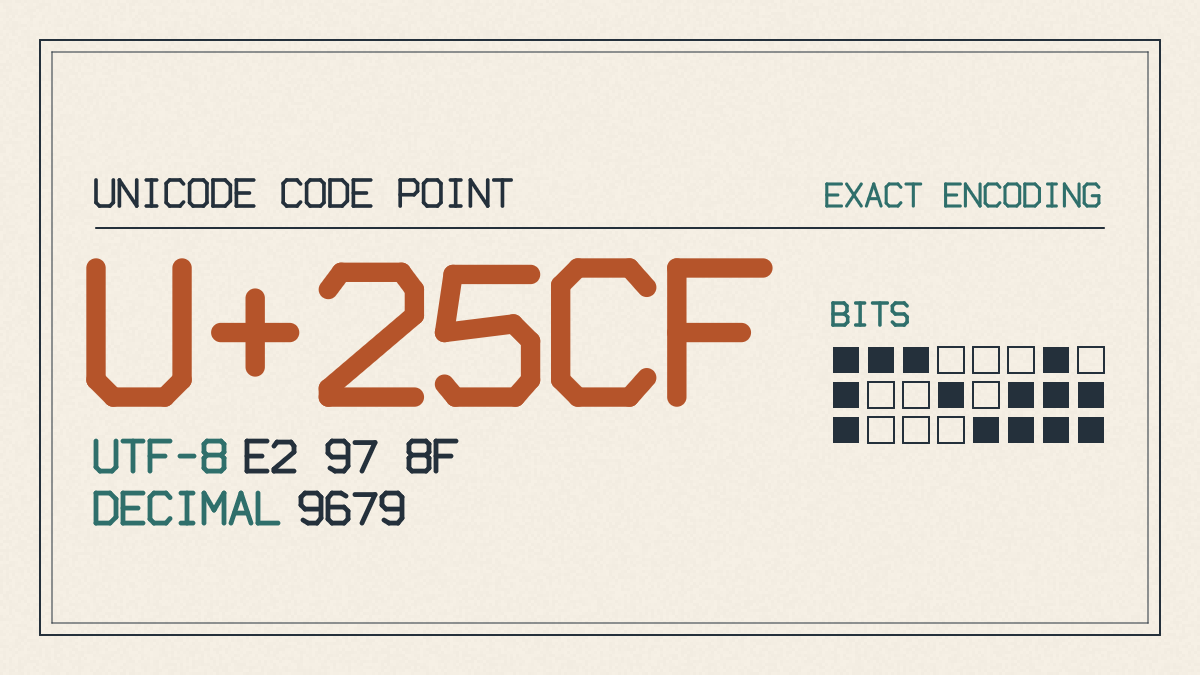
For those who wish to use it in markup, styles, or scripts, the Unicode character representation of this is U+25CF, which is represented by the hexadecimal value “25CF”. There are several forms in which you can represent this in plain text:
The hex value is written in hexadecimal notation as \25CF. You can write this in HTML using the entity code ● and in XML as ●. You can also use the Unicode name “●” to refer to this symbol.
Alternatively, you can simply copy and paste the symbol itself: ●
Compare with •
As mentioned before, this symbol is similar to the bullet point, which is used as an unordered list. However, it isn’t the same as the bullet point.
While the bullet point is technically called the U+2022 BULLET symbol, it is also a Unicode punctuation character. It is known as the “standard” unordered list bullet.
This makes them both quite similar, and both are used in lists. So why choose one over the other?
Because one is larger than the other. The “bullet point” is actually a very small character compared to the black dot. In terms of width, they’re roughly the same, though.
But here’s where they differ most. Where the bullet point is the standard way of denoting items in an unordered list, the black dot symbol represents something more geometric, such as a large circle.
In many cases, you’d prefer the former, since it has become associated with the latter. So, while you wouldn’t typically substitute the black dot symbol for the bullet point in an unordered list, you can use either one elsewhere without issue.
Choosing between plain text and emoji-like circles
There are some emoji-like circles that you might consider using instead of the black dot. Some examples include:
⚫ – Medium Black Circle
⚪ – White Circle
⭕ – Heavy Large Circle
Each of these is its own Unicode symbol. But note that the emoji characters are often rendered in color. When possible, they’ll be rendered as an emoji.
In many contexts, this is fine. But if you want a monochrome version, the safest option is still the simple dot: ●.
To force a monochrome version of any emoji, you can add the variation selector 15 after the emoji. For example:
⚫︎
Otherwise, it’s probably safe to use the simpler symbol instead.
I won’t get into how to distinguish between filled-dots using screenshots. Instead, I’m going to focus on the Unicode definition of these various characters.
First, there’s the large black circle, which is essentially the same as the standard black dot. The only difference is that it’s larger and slightly darker. But in Unicode, they are considered different:
●
⬤
Second, there’s the bullet operator, which is used in mathematics. It’s not usually found outside of math expressions, but can be used elsewhere:
∙
Finally, there’s a fairly new character known as the medium black circle, which appears to be somewhat similar to the previous one. In Unicode, this is known as the U+26AB MEDIUM BLACK CIRCLE:
⚫
Fallback insertion routes
Unfortunately, it’s entirely possible that you may not be able to copy the symbol, either because of a lack of keyboard support, or because of limitations in certain applications. In such cases, you may have to fall back on another method of inserting the symbol. How to insert the black dot symbol
On Windows, open the Character Map application. Search for “black circle,” select ●, click Select, then Copy, and paste it where you need it.
On macOS, open the Character Viewer, search for “black circle,” and double-click ● to insert it.
On iPhone and Android phones, you can simply copy the symbol: ●
On Microsoft Word, open the menu, select Insert → Symbol, and select “BLACK CIRCLE.”
None of these will result in a drawing shape, which is reserved specifically for when you need a graphic. Otherwise, you’re safe to copy and paste the symbol.
Selection rule
Copy and paste the black dot symbol ● where appropriate, and use the bullet point • for listing purposes.
Use ⚫, the medium black circle, when you don’t mind that emoji behavior is acceptable.
Choose ⬤ for its role in its specific context.
Choose ∙ only for its purpose.