Aesthetic Bullet Points: Copy Decorative Unicode Symbols
Copy aesthetic bullet points in minimalist, hollow, starry, heart, and decorative Unicode styles for notes, bios, and plain-text lists.
When you think of bullets in a list, you probably imagine the classic dot that appears in most text editors and word processors. However, aesthetic bullet points offer many more decorative Unicode symbols to choose from if you want to add a bit of visual flair.
In this article I will walk through how to use decorative Unicode symbols as bullet points. These Unicode text symbols aren’t just for show, but represent different styles of lists, including ordinary punctuation and emoji-like decorations. While some may look like emojis or similar graphics, they’re all made up of literal Unicode text characters that you can copy and paste right into your documents.
These bullets have been grouped together so that you can find the one that best matches the mood of the document in which you’re writing. The only promise I’ll make is that they’re ready to copy and paste; they won’t look identical on every app or website, because the receiving app may be missing some fonts, or its font fallbacks may be completely different. (This includes even the web.) If you don’t like what it looks like, try another character or symbol!
Minimizing the Visual Impact
For a clean slate, here are a few basic symbols you can use:
• U+2022 BULLET
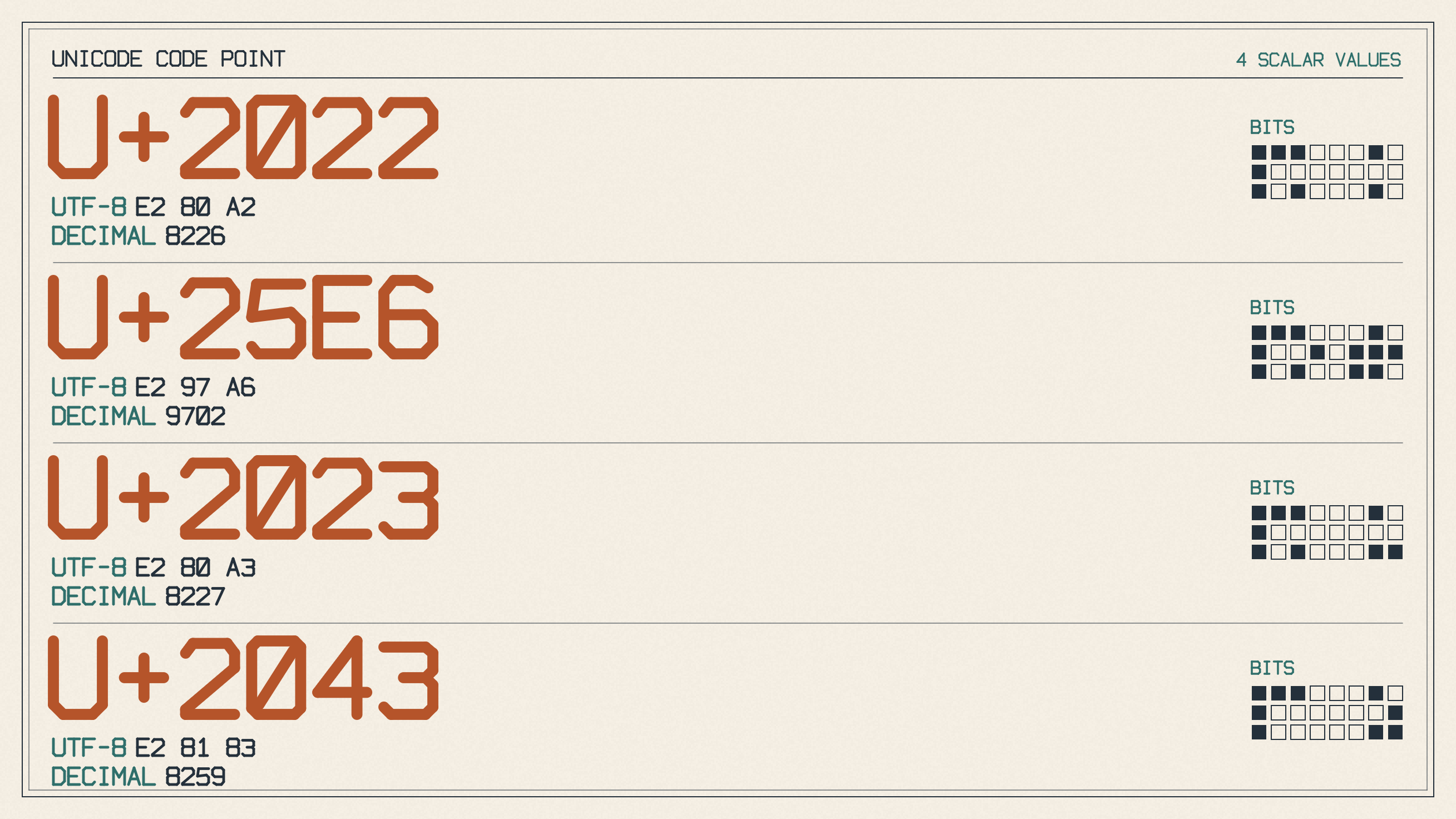
◦ U+25E6 WHITE BULLET
‣ U+2023 TRIANGULAR BULLET
⁃ U+2043 HYPHEN BULLET
● U+25CF BLACK CIRCLE
○ U+25CB WHITE CIRCLE
◉ U+25C9 FISHEYE
◎ U+25CE BULLSEYE
There’s a reason that these characters tend to appear in plain-text lists. Each character varies subtly in emphasis while remaining visually similar to other text-based symbols. This makes them easy to recognize without drawing too much attention away from your main message.
If you prefer something slightly softer or more outlined, here are a few alternatives:
◦ U+25E6 WHITE BULLET
○ U+25CB WHITE CIRCLE
◌ U+25CC DOTTED CIRCLE
◉ U+25C9 FISHEYE
◎ U+25CE BULLSEYE
⦾ U+29BE WHITE POINT BULLET
⦿ U+29BF BLACK POINT BULLET
I’ve also added some more interesting shapes as potential alternatives to the above options. They might seem a bit strange at first, but they’re actually decorative rather than being used as a standard Unicode bullet. For example, they include geometric and star-shaped characters:
★ U+2605
☆ U+2606
✦ U+2726
✧ U+2727
◈ U+25C8
◇ U+25C7 WHITE DIAMOND
◆ U+25C6 BLACK DIAMOND
▪ U+25AA BLACK SMALL SQUARE
▫ U+25AB WHITE SMALL SQUARE
■ U+25A0 BLACK SQUARE
► U+25BA BLACK RIGHT-POINTING POINTER
◂
There’s also the heart markers below, although those should be considered more cute than stylish. Like the rest of the shapes, they’re more suitable for stylized notes or bios rather than for an actual document.
♡ U+2661
♥ U+2665
❥ U+2765
❧ U+2767
☙ U+2619
Separator vs. Arrows
Separators and arrows are useful for creating structure between elements in your document. Vertical rules can help to create a sense of alignment, but their effect isn’t quite as dramatic as using an arrow pointing forward. When using arrows to separate elements within a list, make sure that the same type of arrow remains consistent throughout the entire list. Some examples of such separators and arrows are:
┊ U+250A
☷ U+2637
➤ U+27A4
➔ U+2794
⇢ U+21E2
» U+00BB
Plain-Text Lists
As mentioned earlier, when you use plain-text lists in Markdown or CommonMark, they rely upon special parser markers that identify them as lists. But for plain text, you simply need to paste one literal marker before each line. As long as you keep the marker, spacing, and indentation consistent, your document will maintain a certain level of uniformity and consistency.
However, it’s important to note that these bullets aren’t meant to replace semantic HTML lists. There’s a big difference between a styled HTML list, with appropriate semantics, and a simple paragraph that happens to include an asterisk at the beginning of a sentence. Likewise, these symbols aren’t meant to replace Markdown parser markers, either. Instead, they’re just simple Unicode characters that are intended to be used alongside other content.
One thing you may not realize, however, is that Unicode supports several different bullet symbols and punctuation. You can copy one literal bullet, or you can take advantage of the various glyphs that exist in Unicode itself.
Font and Application Behavior
You might wonder whether a copied bullet would remain the same size and shape regardless of where it’s pasted. Unfortunately, no guarantees exist about exactly how the receiving application or device will render the glyph or how its font will appear. Because Unicode doesn’t support the exact reproduction of fonts across platforms and applications, the same character might end up appearing larger, smaller, inverted, or perhaps disappear entirely. Word, for instance, may paste a list using the Unicode bullet, which it renders as a small black dot. In contrast, you might expect the bullet point to render properly, with the correct spacing, indentation, etc.
So, while the symbols themselves are ready to be copied and pasted anywhere, you might not get exactly the results you expected. That means that you might want to avoid using any special mathematical symbols, or repurpose the dot operator as a bullet-style decoration.
Unicode Bullet Operator
The mathematical bullet operator ∙ (U+2219) has a heavier appearance than the dot operator ⋅ and belongs in formulas or specialized notation. While it might look tempting as a simple bullet, substituting it for a list bullet could cause confusion in technical documentation. To be safe, it’s best to reserve this symbol for its intended use and to style visual lists using the various bullet-shaped Unicode symbols that we have described above.
Choosing Your Bullet
Ultimately, the best way to choose a specific marker is to consider the mood and the context of your document. For formal text, a simple, restrained bullet such as the minimalist • ◦ ‣ ⁃ works well. Hearts, stars, diamonds, and arrows are more decorative choices that can enhance the presentation of your material.