Multiplication Symbol × Copy and Paste: Codes and How to Type It
Use this multiplication symbol copy and paste guide to copy ×, verify U+00D7, and type it with Alt, HTML, CSS, and other codes.
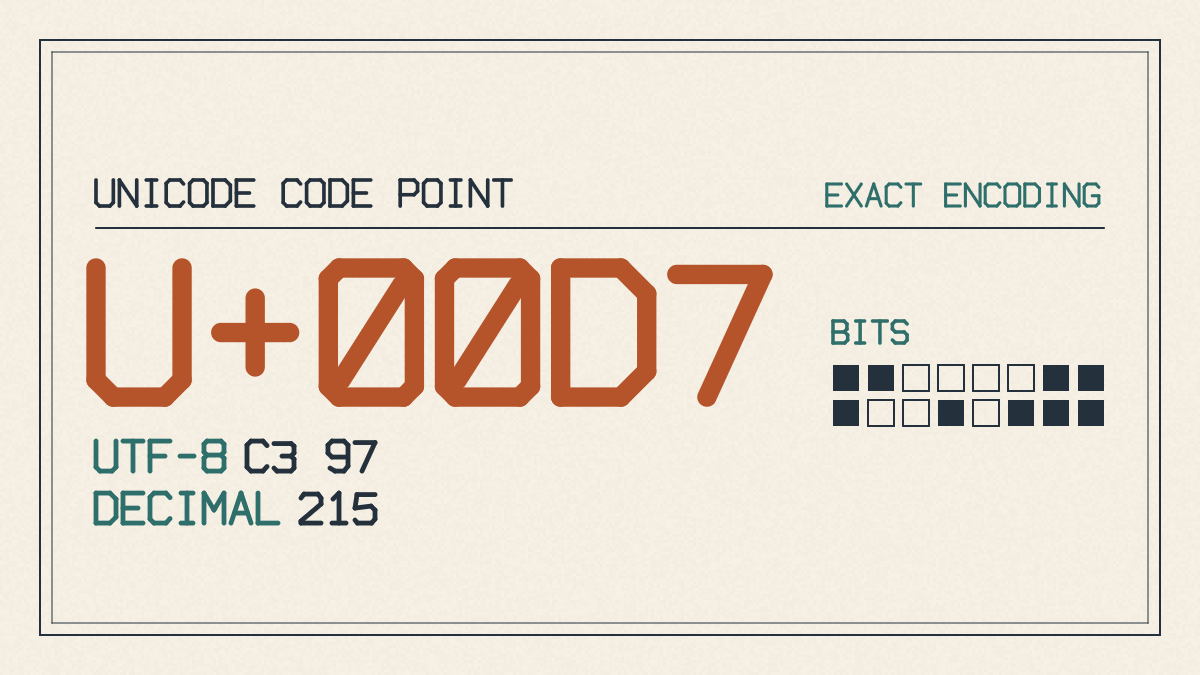
For multiplication symbol copy and paste use ×, known as the Unicode MULTIPLICATION SIGN (U+00D7), which can also be typed using the Alt key combination. The correct code is 0215.
Copy: ×
It is not the lowercase letter x.
How to Type the Multiplication Symbol
To type the × symbol, press and hold down the Alt key while typing 0215 on the numeric keypad. Make sure Num Lock is turned on.
There are several methods to type the × symbol on Windows. The reliable numeric-keypad method is to press and hold down the Alt key while typing 0215, and you can also insert × by copy-paste or through Character Map. Some symbol references list Alt code 215; ALT + 0215 is the documented Windows numeric-keypad code.
Web and CSS Codes
On the web, the multiplication symbol can be typed using a number reference like ×, a hexadecimal reference like ×, or by using an HTML entity like ×. In CSS, the multiplication symbol can be typed using a hex escape like \00d7.
Mathematically, the multiplication symbol is used to indicate multiplication in arithmetic, such as in equations like 3 × 4 = 12. In vector mathematics, the cross product is denoted by the same symbol.
Related Symbols and Unicode Differences
The multiplication symbol × has a different Unicode value than other symbols, such as the dot operator (⋅) or the bullet operator (∙). While these symbols may look similar, they are not interchangeable and have different intended uses.
The dot operator ⋅ can stand for multiplication or dot product, but this depends on the context of the publication. In computing, the asterisk * is commonly used to denote the multiplication operation; Word’s calculation conventions depend on context, so × should be treated as mathematical text or notation rather than assumed to be an operator that evaluates multiplication.
The ∙ character, also known as the bullet operator, is a mathematical operator and can look heavier than the dot operator. It should not be casually used as a list bullet; the ordinary list bullet is a separate character, •. If precision matters, you should check the code point of the character to make sure that it’s what you want.
Conclusion
In conclusion, the multiplication symbol × can be typed in many ways, including via keyboard shortcuts, copy-paste, and through various encoding techniques. Depending on your situation, you might prefer one method over another. For example, if you need to input mathematical expressions within a web browser, you’ll likely find that using the × symbol will provide the most accurate results.
If you don’t know which symbol you’re typing and need help figuring out how to type a certain character, there are plenty of resources available online to help you out. You can even use online tools to generate the appropriate characters.